
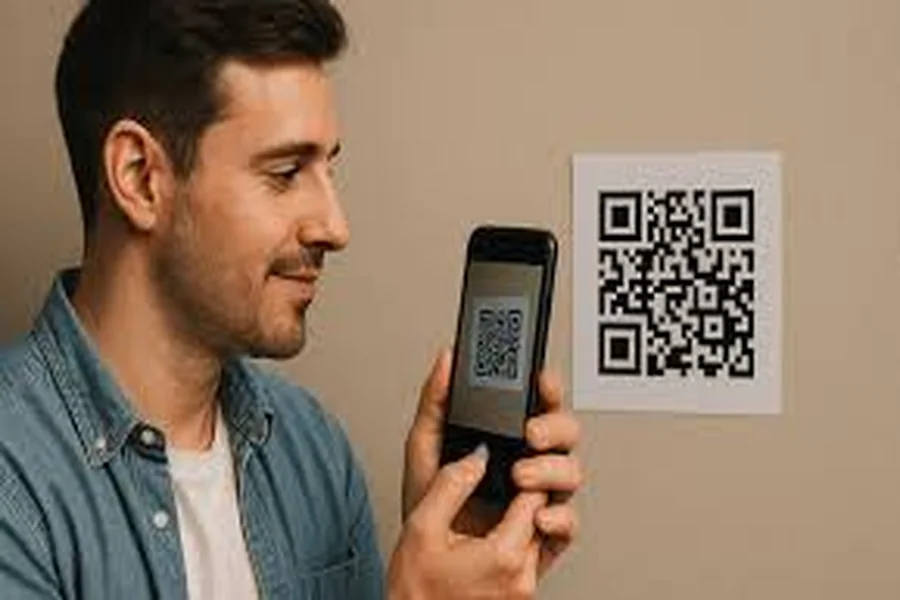
A plain black-and-white QR code works, but it’s a missed opportunity. For creative professionals and brand-conscious businesses, every touchpoint in a customer’s experience is a chance to reinforce visual identity, and QR codes show up in highly visible places: business cards, product packaging, event signage, and print advertising. The problem is that most basic QR code generators produce generic outputs that actively clash with a polished brand aesthetic. This guide covers what to look for in a customizable QR code platform, how to use branded codes strategically, and practical tips for making them work harder for your creative or business goals.
Why Generic QR Codes Fall Short for Branding
When a QR code sits on a beautifully designed piece of print collateral but looks like it was generated by a utility tool from 2012, the visual disconnect is immediately noticeable. It signals a gap in brand attention, even if everything else about the design is exceptional. For creative professionals, that inconsistency is especially costly because visual coherence is literally the service being sold.
Modern QR code technology, built on robust error correction capabilities, allows for significant visual customization without compromising scan reliability. Colors, shapes, logo embeds, and frame styles can all be adjusted to create a code that reads as a deliberate design element rather than a technical afterthought. For businesses, a code that visually communicates trust and brand recognition is more likely to be scanned than an anonymous black square, and in an environment where QR code phishing is a real concern, brand-consistent codes help audiences feel confident about engaging.
What to Look for in a QR Code Generator for Creative Work
Not every QR code platform is built with creative professionals in mind. Most basic generators prioritize speed and simplicity, which is fine for internal use but insufficient when output needs to meet a professional design standard. Here are the key capabilities worth evaluating.
Visual customization depth. A capable platform should let you adjust the color of both the foreground pattern and the background, modify the shape of the data modules, customize the corner finder patterns, and embed a logo or icon at the center. Platforms that only offer color changes without shape or module customization produce codes that feel halfway branded rather than genuinely integrated into a design system.
Export quality and format options. For professional use, PNG is the minimum. SVG export is the preference for anything destined for print, because vector files scale to any dimension without quality loss. A QR code exported as a low-resolution raster image will look pixelated when printed large, which defeats the purpose of investing in a branded design.
Dynamic vs. static code support. Static codes encode the destination URL directly into the pattern, which means the destination cannot be changed after generation. Dynamic codes use a short redirect URL that can be updated without changing the visual code. For marketing campaigns or any application where the destination might change, dynamic codes are significantly more practical.
Scan testing tools. Any platform worth using professionally should include a built-in scan test confirming the code is readable before export. This is especially critical when heavy customization is applied, since aggressive visual modifications can reduce scan reliability if not handled carefully.
10 Tips for Branded QR Codes That Look as Good as They Work
1. Prioritize Scannability Over Style
Every design decision made to a QR code, including color adjustments, logo embeds, and module shapes, affects its scannability to some degree. The QR code standard includes error correction built in, meaning a certain percentage of the code’s data modules can be obscured or altered and the code will still scan correctly. However, that tolerance is finite. Before finalizing any customized code, test it with multiple devices in different lighting conditions. A beautiful code that fails to scan reliably is worse than a plain code that works every time.
2. Use Adobe Express to Create Branded QR Codes Quickly
For creative professionals who want a straightforward path from customization to polished output, Adobe Express is a strong option. Its tool to create QR code designs lets you generate codes that can be styled and then incorporated directly into broader marketing materials within the same platform. This makes it particularly practical for designers who are already producing business cards, flyers, social graphics, or event materials in Adobe Express, since the QR code can be designed and placed without leaving the workflow or manually transferring files between tools. The integration between the QR generator and the broader design canvas saves meaningful production time while maintaining visual consistency across the full piece.
3. Match Module Colors to Your Brand Palette, Not Your Instinct
The instinct when branding a QR code is often to use the most prominent brand color as the foreground. That works in many cases, but high contrast between the foreground modules and the background is essential for reliable scanning. Dark modules on a light background scan far more reliably than light modules on a dark background, and low-contrast combinations, such as navy on dark gray or pale yellow on white, frequently fail entirely. Choose a foreground color from your brand palette that is dark enough to maintain strong contrast, and avoid inverting the code to light-on-dark without thorough testing across multiple scanner apps.
4. Size QR Codes Proportionately to Their Medium
A QR code appearing as a one-inch square on a business card requires a different minimum resolution than one printed at six inches on an event banner. The general rule is that a QR code should be scannable from a distance approximately ten times its printed width, meaning a one-inch code is reliably scanned from about ten inches away. For codes on large-format signage viewed from a distance, increase the size accordingly. A QR code that can’t be scanned from a natural, comfortable distance adds friction to the interaction and reduces scan rates regardless of how well it’s designed.
5. Embed Your Logo at the Center Strategically
A logo placed at the center of a QR code is a widely used branding technique that works because the center contains no critical data. The QR standard reserves this area for error correction, meaning a logo can replace a portion of the central modules without breaking the code’s functionality. The key is proportion: a logo covering more than roughly thirty percent of the total code area threatens scan reliability, even at the highest error correction level. Keep the logo small, ensure it has a light background behind it so it doesn’t visually merge with surrounding modules, and always test the result before finalizing.
6. Add a Clear Call-to-Action Near Every Code
A QR code without context is a barrier to engagement. Audiences need to understand what scanning it will do for them. A short directive placed directly above or below the code, something like “Scan to see the full collection” or “Scan for exclusive event access,” converts passive curiosity into active engagement. Use the same typeface and color system as the rest of the design, and keep the copy concise to lower friction between seeing the code and deciding to scan.
7. Use Dynamic Codes for Any Campaign You Might Need to Update
Static QR codes are permanent by nature. Once printed and distributed, the destination they point to cannot be changed without reprinting. For single-use applications with a stable destination, a static code is perfectly appropriate. For marketing campaigns, seasonal promotions, product packaging that might be reprinted, or anywhere the destination URL might evolve, dynamic codes are the only practical choice. Dynamic codes also typically include scan tracking, which makes them significantly more valuable for evaluating campaign performance.
8. Choose the Right Error Correction Level for Your Design
QR codes offer four error correction levels, typically labeled L, M, Q, and H, representing progressively higher redundancy in the encoded data. Higher error correction allows more of the code’s surface to be altered or obscured while still scanning correctly, which is what makes heavy visual customization and logo embeds possible. If you’re applying significant design modifications, select the highest error correction level (H) from the start. The trade-off is a denser, more complex code pattern with more modules. For most professional applications, this added density is not a meaningful problem, and the reliability benefit far outweighs the visual complexity.
9. Treat the QR Code as a Design Element, Not an Attachment
The most visually successful branded QR codes are designed as part of the layout from the beginning rather than dropped in at the end. Consider the color, size, and shape of the code as part of the overall visual composition. Leave deliberate space around the code, the quiet zone that the QR standard requires, which also gives the code visual breathing room in the layout. Use framing elements or background shapes that integrate the code into the design rather than isolating it as a separate technical object. When the code feels like it belongs on the piece, it reinforces the impression of a thorough, intentional design approach.
10. Audit Your QR Code Destinations Regularly
A QR code is only as useful as the page it leads to. Printed materials often have long shelf lives, meaning a code on a brochure or business card might be scanned months or years after production. If the destination URL has moved or the page has been taken down, every scan becomes a dead end. For static codes, verify destination pages periodically and be cautious about linking to URLs that might change. For dynamic codes, the destination can be updated if needed, but building a regular audit habit into your workflow remains worthwhile for maintaining a professional audience experience.
Evaluating QR Code Platforms for Business vs. Individual Use
Individual creative professionals and businesses have overlapping but distinct needs when it comes to QR code generation. Understanding where those needs diverge helps clarify which platform features to prioritize.
Individual designers and freelancers typically need a tool that produces high-quality, customizable output quickly, supports SVG or high-resolution PNG export, and integrates with the design tools already in their workflow. Volume is usually low and brand consistency is tied to a single visual identity. For this profile, a platform with a strong free tier and clean export options is often sufficient.
Businesses managing multiple brands, campaigns, or products need more. Team access, centralized code management, dynamic code infrastructure with analytics, and potentially API access for programmatic generation all become relevant at scale. Evaluating platforms on these operational dimensions, rather than purely on visual customization, produces better outcomes for business users with complex workflows and high volume requirements.
FAQs
What is the difference between a static and a dynamic QR code, and which should I use?
A static QR code encodes the full destination URL directly into the pattern of the code. Once it’s generated and printed, the destination cannot be changed without creating an entirely new code. Static codes are appropriate when the destination is truly permanent, such as a portfolio link that won’t change or a direct link to a stable document URL. A dynamic QR code works differently by encoding a short redirect URL that routes to the actual destination through a redirect server. Because the redirect can be updated without changing the code itself, the printed code remains usable even if the destination needs to change. For marketing campaigns, product packaging, or any context where flexibility is valuable, dynamic codes are the more practical and professional choice.
How much of a QR code can I customize before it stops scanning reliably?
The amount of visual modification a QR code can tolerate depends on two factors: the error correction level selected during generation and the nature of the modifications applied. QR codes generated at the highest error correction level (H) can tolerate up to thirty percent of their surface being altered or obscured while still scanning correctly. Modifications that maintain strong contrast between the code’s modules and its background will generally scan reliably. Problems typically arise when colors are too similar, when a logo is oversized, when custom module shapes reduce the optical clarity of individual data elements, or when background textures reduce visual separation between modules. The practical rule is to design boldly and then test rigorously, rather than assuming the code will work without verification.
How can I track how many people are scanning my QR codes?
Tracking QR code scans requires using dynamic codes, since they route through a redirect that can log scan data before forwarding users to the destination. Most dynamic QR code platforms provide built-in analytics dashboards reporting total scans, unique scans, device types, and geographic data. For more granular tracking tied to specific campaigns, UTM parameters can be appended to the destination URL so that scan activity is captured in your web analytics platform. Adding UTM tags to the destination URL means every scan arrives with tracking data attached, making QR code performance visible in tools like Google Analytics alongside your other channel data. This approach gives a complete picture of how QR codes contribute to traffic and conversions without requiring a separate reporting workflow.
What file format should I use when exporting a QR code for professional print use?
SVG is the ideal export format for any QR code intended for professional print use. Because SVG is a vector format, it scales to any dimension without quality loss, meaning the same file works on a business card, a banner, or a billboard without generating separate versions. When SVG is unavailable, export at the highest resolution the platform offers, typically at least 1000 by 1000 pixels for small print applications and higher for large-format use. PNG is preferable to JPEG for raster exports because PNG uses lossless compression, which preserves the sharp edges of the code’s modules. JPEG compression introduces artifacts around high-contrast edges and can reduce scan reliability on printed pieces.
Can I use a QR code to link to something other than a website URL?
Yes, QR codes can encode several different types of content beyond a standard web URL. Common non-URL applications include vCard contact information, plain text, email addresses that pre-populate a compose window, SMS messages, Wi-Fi network credentials that connect a device automatically, and geographic coordinates that open a map application. The most versatile and trackable option for professional and marketing use is still a URL, particularly a dynamic one, because it offers the most flexibility in destination and makes tracking possible. However, for specific use cases like networking events, product packaging with Wi-Fi access, or physical location signage, non-URL QR codes offer a useful shortcut that meaningfully reduces friction for the end user.
Conclusion
Customizable QR codes are one of the lower-effort, higher-impact improvements available to creative professionals and businesses who want their brand to feel intentional at every touchpoint. A well-designed code communicates the same level of craft as the materials it appears on, while a generic one quietly undermines everything else in the design. With the right platform and a clear understanding of the technical parameters that affect performance, there’s no reason to settle for codes that look like utilities when they could be genuine brand assets.
Start with design principles that protect scan reliability, choose a platform that fits your workflow and output requirements, and treat QR code creation as part of the broader creative process. When the code fits the design and the design fits the brand, every scan becomes a consistent brand experience.